
Creating an **ABC ID Card MGSU** (Academic Bank of Credits) has been made mandatory for all students filling out the Exam Form 2025. Whether you are a Regular or Private student at Maharaja Ganga Singh University, you cannot submit your examination form without this unique 12-digit ID.
The **ABC ID Card MGSU** is a digital repository that stores your academic credits under the National Education Policy (NEP 2020). In this guide, we will show you how to generate your ID via Digilocker and link it to your university profile.
📢 Important Requirement
Mandatory: You must have your mobile number linked with your Aadhaar Card to generate the **ABC ID Card MGSU**. If not linked, visit your nearest Aadhaar center first.
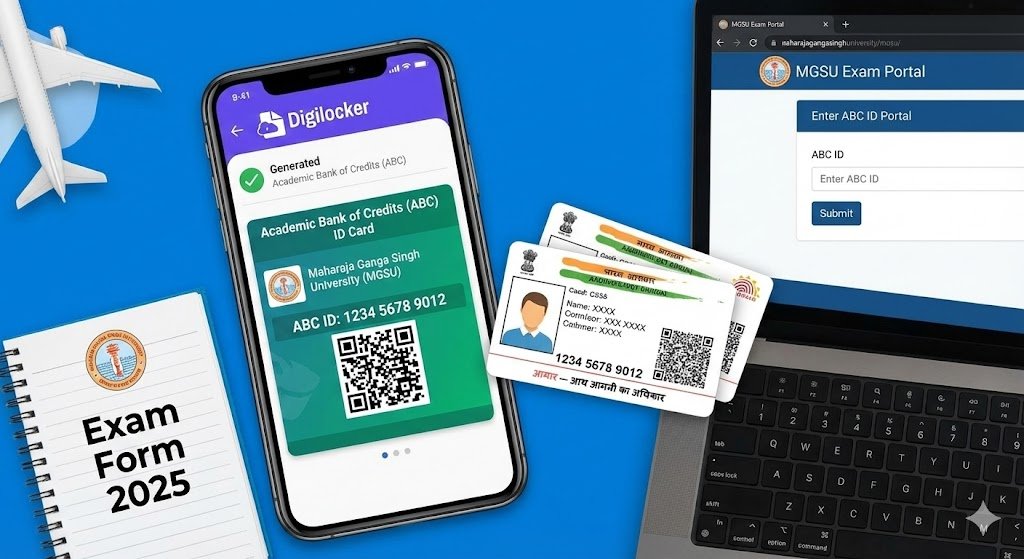
Sample Academic Bank of Credits ID
🆔 What is Academic Bank of Credits (ABC)?
The Academic Bank of Credits (ABC) is a virtual storehouse of student data launched by the Ministry of Education. It works like a commercial bank, but instead of money, it holds the "Academic Credits" you earn during your degree.
- Mobility: Allows students to leave a course and rejoin later without losing previous study years.
- Digital Record: No need to carry physical mark sheets; everything is stored online.
- One Nation, One ID: Valid across all universities in India, including for **ABC ID Card MGSU**.
📝 How to Create ABC ID Card MGSU Online?
Follow these simple steps to generate your ID using the Digilocker App or Website:
- Visit Digilocker: Open the Digilocker Portal or download the app.
- Sign Up/Login: Login using your Mobile Number. Ensure it is the one linked to your Aadhaar.
- Search Document: In the search bar, type "ABC ID Card" or "Academic Bank of Credits".
- Select University:
- Institution Type: Select "University".
- Institution Name: Search and select "Maharaja Ganga Singh University".
- Enter Details: Enter your Name, Date of Birth, and Admission Year.
- Get Document: Click on "Get Document". Your 12-digit **ABC ID Card MGSU** will be generated instantly.
- Download PDF: Save the PDF file. You will need to upload this while filling the exam form.
🔗 How to Link ABC ID Card MGSU with Exam Form?
Once you have your 12-digit ID, you must seed it into your university profile. Without linking your **ABC ID Card MGSU**, your exam form will not be accepted.
- Step 1: Go to the exam portal univindia.net.
- Step 2: Start your Exam Form 2025 application.
- Step 3: In the "Personal Details" section, look for the column "ABC ID".
- Step 4: Enter your 12-digit number carefully.
- Step 5: The system will automatically verify your name and details from the database.
⚠️ Warning: If your Name in the **ABC ID Card MGSU** does not match your 10th Marksheet, your form may be rejected. Update your Aadhaar details first if needed.
🚀 Quick Links for Students
| Activity | Direct Link |
|---|---|
| ABC Official Portal | Click Here ↗ |
| Digilocker Login | Login Here ↗ |
| MGSU Exam Form Link | Apply Now ⬇ |
Frequently Asked Questions
Q. Is ABC ID Card MGSU mandatory for Private students?
Yes, the **ABC ID Card MGSU** is mandatory for ALL students, including Regular, Private, and Ex-students appearing for the 2025 exams.
Q. My Aadhaar is not linked to my mobile. What to do?
You cannot create the ID without OTP verification. Please visit your nearest E-Mitra or Aadhaar Center to update your mobile number first.
Q. I cannot find MGSU University in the list. Why?
Sometimes server issues occur. Try searching for "Maharaja Ganga Singh University" instead of "MGSU". If it still doesn't appear, try again late at night when traffic is low.
Summary: This page explains how to generate your **ABC ID Card MGSU**. It is a compulsory step for filling the 2025 exam form. Ensure your details match your Aadhaar card to avoid any rejection.